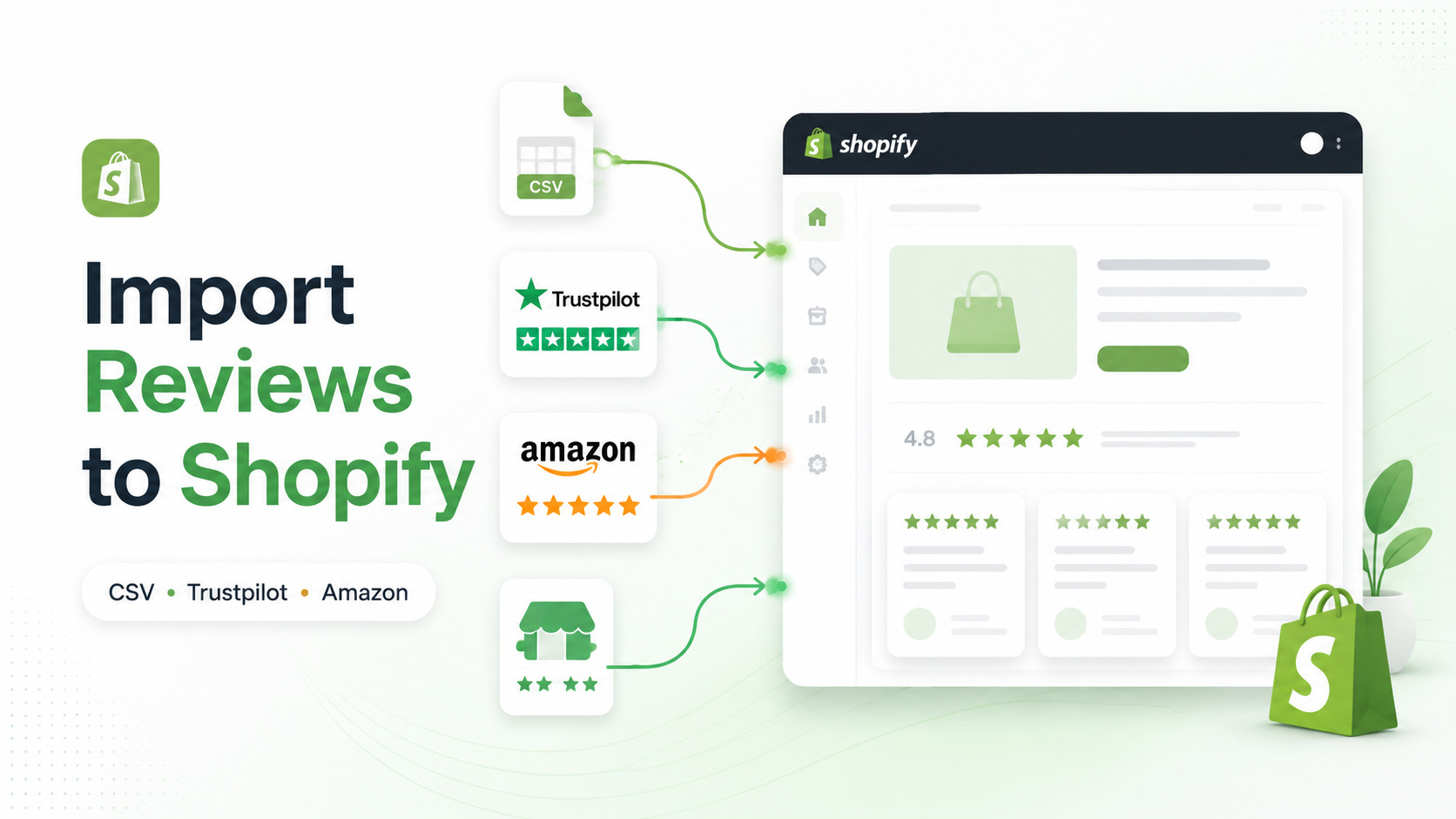
Importing reviews to Shopify usually requires a review app or migration tool. The correct method depends on where your reviews are currently stored and whether they are product reviews, business reviews, seller feedback, or testimonials.
There is no universal Shopify review CSV that works with every app. In most cases, you need to:
- Identify the original review source.
- Choose a compatible destination app.
- Match each review to the correct Shopify product.
- Import a small test batch.
- Verify the review content and storefront display.
Use the table below to find the most appropriate method for your review source.
Quick Answer: Which Review Import Method Should You Use?
| Your reviews are currently stored on | Recommended method |
|---|---|
| Another Shopify review app | Export the reviews and use the new app’s CSV template |
| A spreadsheet or CSV file | Reformat the data using the destination app’s required fields |
| Trustpilot | Use a dedicated Trustpilot review importer such as Trustio |
| Amazon | Use an Amazon-to-Shopify importer such as Importio |
| WooCommerce, Wix, Etsy, or another platform | Use a compatible migration app, review app, or Shopify Partner |
| Another Shopify store | Export from the original review app and import into the destination store |
| A large custom database | Use a Shopify Partner or custom migration solution |
The most important rule is to choose the import method based on the review source, not simply the number of reviews you have.
Can You Import Reviews Directly Into Shopify?
Shopify supports native CSV imports for data such as products and customers. However, its standard CSV files are not a universal import system for external customer reviews.
Shopify explains that some store data can be transferred through CSV files, while other data may require a migration app, Shopify Partner, or custom API solution. The most suitable method depends on the type, amount, and complexity of the data being moved.
Shopify also operates its own Shop product review system. After purchasing a product through the Shop app or a merchant’s online store, eligible customers can leave a product review in the Shop app.
These Shop reviews are different from reviews imported into a third-party Shopify review app.
Important Limitation for Shop Reviews
Reviews imported into a third-party app may appear on your online store, depending on the app’s display features. However, Shopify currently states that reviews migrated between review app partners using CSV, or uploaded from a CSV file, are not eligible to appear in the Shop app.
For a partner-app review to display in Shop, Shopify requires it to be connected to a verified:
- Customer ID
- Order ID
- Product ID
This distinction matters:
- Online store review display: Controlled by your installed review app and theme settings.
- Shop app review display: Controlled by Shopify’s review eligibility requirements.
- CSV-imported reviews: May display on your online store but are not currently eligible for Shop synchronization.
You can review the current requirements in Shopify’s guide to syncing Shop product reviews with partner apps.
Understand the Type of Reviews You Are Importing
Before selecting an app or preparing a CSV file, identify the type of review data you have.
Product Reviews
Product reviews are connected to individual products. They may include:
- Product name or identifier
- Star rating
- Review title
- Review body
- Reviewer name
- Review date
- Images or videos
- Verification status
These reviews must be matched to the correct Shopify product or product variant.
Business or Service Reviews
Business reviews describe the customer’s overall experience with a store rather than one specific product. They may discuss:
- Customer service
- Delivery
- Returns
- Communication
- Store reliability
- Overall satisfaction
Business reviews are commonly displayed on:
- Homepages
- Landing pages
- Collection pages
- Cart-related pages
- Store-wide review pages
Trustpilot reviews are often used as business-level social proof rather than reviews attached to one Shopify product.
Marketplace Reviews and Seller Feedback
Platforms such as Amazon can contain both:
- Reviews about individual products
- Feedback about a seller or shopping experience
Do not automatically treat seller feedback as a product review. The original review type and context should remain clear after import.
Testimonials
Testimonials are customer statements selected for marketing use. They are not automatically equivalent to verified product reviews.
Do not change a testimonial’s meaning, rating, date, source, or verification status.
Before You Import Reviews
Complete the following checks before switching apps or uploading a review file.
1. Back Up the Original Review Data
Keep an untouched copy of:
- The original CSV export
- Review images or media links
- Product identifiers
- Review IDs
- Import reports
- Custom review fields
Do not uninstall your current review app until the export has been completed and checked.
Shopify recommends transferring existing reviews before uninstalling a partner review app when switching providers.
2. Confirm the Product-Matching Field
Review apps may match imported reviews using:
- Product handle
- Shopify product ID
- Variant ID
- SKU
- Product URL
- External product ID
The source file and destination app must use a compatible identifier. Otherwise, reviews may be rejected or attached to the wrong products.
3. Check What the Destination App Supports
Before importing, confirm whether the destination app supports:
- CSV import
- Your original review platform
- Product reviews
- Business reviews
- Images or videos
- Original review dates
- Verification status
- Source attribution
- Duplicate detection
- Review export
- Store-to-store migration
Do not assume one review app’s CSV file can be uploaded directly into another app.
How to Import Reviews to Shopify Using a CSV File
CSV migration is most useful when changing Shopify review apps or importing an existing structured review database.
Step 1: Export Reviews From the Current App
Open the platform currently storing your reviews and look for an option such as:
- Export reviews
- Download CSV
- Export data
- Back up reviews
- Migrate reviews
Save the original file before making any changes.
If your current app does not provide an export option, contact its support team before uninstalling it.
Step 2: Download the Destination App’s Template
Install or select the review app that will store and display reviews on the new Shopify store.
Download the app’s current CSV template and import documentation. Each app can require different:
- Column names
- Date formats
- Rating formats
- Product identifiers
- Image fields
- Required values
There is no universal set of review columns accepted by every Shopify review app.
Step 3: Map the Review Fields
A destination template may include fields such as:
| Review data | Example value | Purpose |
|---|---|---|
| Product handle | classic-leather-bag |
Connects the review to a Shopify product |
| SKU | BAG-BLK-01 |
Matches a product or product variant |
| Rating | 5 |
Stores the star rating |
| Review title | Excellent quality |
Stores the review headline |
| Review body | The material feels durable. |
Stores the customer’s feedback |
| Reviewer name | Taylor M. |
Identifies the reviewer |
| Review date | 2026-06-15 |
Preserves the original review date |
| Image URL | https://... |
Provides review media when supported |
| Source | Previous review app |
Records where the review originated |
| Verified status | true or false |
Preserves verification information |
These are examples only. Use the exact headers and accepted values required by your destination app.
Step 4: Match Reviews to Shopify Products
A product handle is the final part of a Shopify product URL.
For example:
/products/classic-leather-bag
The product handle is:
classic-leather-bag
Check whether your product handles changed during migration. Handles can be different when:
- Products were recreated manually
- Product URLs were updated
- Duplicate products were created
- Products were imported from another platform
- Product names were changed
SKU matching may be useful when every product or variant has a unique SKU, but only when the destination app supports SKU-based matching.
Step 5: Clean the CSV File
Check the file for:
- Missing ratings
- Empty review bodies
- Duplicate rows
- Invalid dates
- Ratings outside the accepted range
- Incorrect product handles
- Duplicate SKUs
- Broken image URLs
- Unsupported HTML
- Incorrect headers
- Spreadsheet formulas
- Extra commas or separators
Save the file using the encoding and format specified by the destination app.
UTF-8 CSV is commonly used because it helps preserve accented characters, symbols, apostrophes, and non-English reviewer names.
Step 6: Import a Test Batch
Do not upload the complete review database first.
Create a small test file containing reviews for several different products. After importing it, verify that:
- Each review is attached to the correct product
- Ratings are accurate
- Review text is complete
- Dates display correctly
- Reviewer names are readable
- Images appear when supported
- Duplicate reviews were not created
- Average ratings are calculated correctly
Only proceed with the full import after the test is successful.
Step 7: Review the Import Report
Review apps may identify:
- Successfully imported reviews
- Rejected rows
- Missing required fields
- Unmatched products
- Invalid dates
- Duplicate entries
- Media errors
Correct rejected rows in a separate file. Avoid repeatedly uploading the complete database because this can create duplicate reviews.
How to Import Reviews From Another Shopify Review App
When switching from one Shopify review app to another:
- Export all reviews from the current app.
- Save the original export as a backup.
- Install the destination review app.
- Download its current CSV template.
- Map the original fields to the new template.
- Import a small test batch.
- Correct product-matching and formatting errors.
- Import the remaining reviews.
- Enable the new storefront widget.
- Remove the old widget only after confirming the migration.
CSV-migrated reviews may appear on your online storefront but are not currently eligible to synchronize to the Shop app.
Also inspect your Shopify theme after changing apps. An uninstalled review app may leave behind an old app block, snippet, script, or manually added theme code.
How to Import Trustpilot Reviews to Shopify
If your existing reviews are on Trustpilot, use an app designed to work with Trustpilot data rather than a generic product-review CSV importer.
Trustio currently supports:
- Importing Trustpilot reviews
- Automatically syncing new reviews daily
- Carousel and Flex grid widget layouts
- Displaying widgets on supported store pages, including checkout
- A Rate Us widget on the thank-you page
These features are listed on the current Trustio Shopify App Store page.
How to Import Trustpilot Reviews With Trustio
- Install Trustio from the Shopify App Store.
- Connect or enter the relevant Trustpilot business profile.
- Import the available Trustpilot reviews.
- Check the imported review content and rating.
- Choose a Carousel or Flex grid layout.
- Customize the widget to match your store.
- Add the widget to the appropriate page or theme location.
- Preview the widget on desktop and mobile.
- Publish the widget.
- Confirm that new review updates are syncing.
Trustio is most relevant when your reviews are already on Trustpilot. It is not a universal CSV importer for every review platform.
For a more detailed walkthrough, read How to Add Trustpilot Reviews to Shopify.
How to Import Amazon Reviews and Products to Shopify
Amazon imports require a source-specific workflow because the original listing may include:
- Product titles
- Descriptions
- Images
- Prices
- Variants
- Product reviews
- Seller feedback
Importio supports three Amazon import methods:
- A single Amazon product
- A bulk list of product URLs or ASINs
- An Amazon seller store
The current Importio product page also lists support for product data, Amazon reviews, seller feedback, product variants, and automatic updates.
How to Import Amazon Reviews With Importio
- Install Importio on your Shopify store.
- Paste an Amazon product or seller URL.
- Choose single, bulk, or seller-store import.
- Review the available product data.
- Check titles, images, prices, descriptions, and variants.
- Review the available product reviews or seller feedback.
- Import the selected information.
- Inspect the resulting Shopify products.
- Confirm how the review content appears.
- Publish the products only after checking the imported data.
Keep Amazon product reviews and seller feedback clearly distinguished. Do not describe imported marketplace feedback as reviews collected directly by your Shopify store.
Learn more about using Importio to import Amazon reviews and products to Shopify.
How to Migrate Reviews From Another Store or Platform
This process can apply when moving reviews from:
- Another Shopify store
- WooCommerce
- Wix
- Etsy
- Another ecommerce platform
- A custom review database
Shopify recommends selecting a migration method based on the type, amount, and complexity of the data. Available methods can include CSV files, migration apps, Shopify Partners, and custom API solutions.
Use the following workflow:
- Export reviews from the original platform.
- Import or create the destination products in Shopify.
- Confirm the final product handles, IDs, and SKUs.
- Choose a review app that supports the original source or CSV format.
- Convert the review data to the destination template.
- Test several reviews across different products.
- Correct unmatched products and invalid fields.
- Import the remaining reviews.
- Verify review totals and ratings.
- Check the storefront on desktop and mobile.
Products should generally exist in Shopify before product reviews are imported. Otherwise, the review app might not be able to match each review to the correct destination product.
For broader store migrations, refer to Shopify’s official Migrate to Shopify guide.
Common Shopify Review Import Errors
| Problem | Likely cause | Recommended fix |
|---|---|---|
| CSV is rejected | Incorrect headers, encoding, dates, or required fields | Download a new template and compare every column |
| Reviews attach to the wrong products | Changed handles, duplicate SKUs, or incorrect IDs | Confirm the matching field against the current Shopify catalog |
| Reviews appear in the app but not on the store | The widget, app embed, or theme block is disabled | Enable the app embed and add the correct theme block |
| A rating appears without review text | Incorrect field mapping or unsupported content | Check the review-body column and import report |
| Review images do not appear | Expired URLs, private files, or unsupported formats | Confirm the app’s media-import requirements |
| Special characters are broken | Incorrect CSV encoding | Save the file using UTF-8 |
| Duplicate reviews appear | The same file was imported more than once | Remove duplicates and use review IDs when supported |
| Reviews do not display in Shop | CSV-imported reviews are not eligible for Shop synchronization | Display the reviews through the app on your online store |
Post-Import Review Checklist
Completing the upload does not mean the migration is finished.
Review Accuracy
- Review text matches the original source
- Ratings have not been changed
- Dates are accurate
- Reviewer names display correctly
- Source information is preserved
- Verification status is not misrepresented
Product Matching
- Reviews are attached to the correct products
- Product handles are current
- Variants are not mixed incorrectly
- Duplicate products do not divide the review history
- Archived products are handled appropriately
Storefront Display
- Widgets work on desktop and mobile
- Text is readable
- Images load correctly
- Carousel or grid controls work
- Widgets do not cover product details
- Review totals are consistent
- Old review widgets have been removed
Data Protection
- The original export is still available
- Import reports have been saved
- Rejected reviews are documented
- A new export can be created from the destination app
- The app’s data-retention policy has been checked
Review Import Practices to Avoid
Do Not Change the Meaning of a Review
Do not turn negative reviews into positive reviews or rewrite feedback to create a more favorable impression.
Do Not Remove the Original Context
Product reviews, business reviews, seller feedback, and testimonials are not interchangeable.
Do Not Claim Imported Reviews Were Collected by Your Store
Preserve the original source when it affects how customers understand the feedback.
Do Not Import Everything Without Testing
An incorrect product field can attach a large number of reviews to the wrong products.
Do Not Uninstall the Old App Too Early
Export and verify the review data before removing the current provider.
Do Not Publish Fake Reviews
Only import legitimate customer feedback from an accurately identified source.
Which Review Import Method Should You Choose?
Use CSV Migration When:
- You are switching review apps
- The current app provides an export
- The destination app accepts CSV files
- Product handles, IDs, or SKUs are consistent
Use Trustio When:
- Your reviews are currently on Trustpilot
- You want to display Trustpilot reviews on Shopify
- You need Carousel or Flex grid widgets
- You want new Trustpilot reviews to sync automatically
Use Importio When:
- Your products are currently on Amazon
- You need product data and Amazon review imports
- You need single, bulk, or seller-store import
- You want an Amazon-specific import workflow inside Shopify
Use a Migration Service or Shopify Partner When:
- The review database is large or inconsistent
- Multiple platforms are involved
- Product identifiers do not match
- Review media is complex
- Custom fields need to be preserved
- An incorrect import could disrupt an active store
Conclusion
The best way to import reviews to Shopify depends on where those reviews are currently stored.
Use the destination review app’s CSV template when moving reviews from another app. Use Trustio when your reviews are on Trustpilot. Use Importio when you need to import Amazon products, product reviews, or seller feedback.
Before completing any migration:
- Back up the original data.
- Confirm how products are matched.
- Import a small test batch.
- Check ratings, dates, sources, and review text.
- Verify the storefront before removing the old app.
A careful import protects more than your review count. It preserves the context, accuracy, and trust that make customer feedback useful.
Frequently Asked Questions
Can I Import Reviews to Shopify Without an App?
Shopify does not provide one universal native importer for external review databases. Depending on the source, you may need a review app, migration app, Shopify Partner, or custom solution.
Can I Import Shopify Reviews Using a CSV File?
Yes, when the destination review app supports CSV import. Use that app’s current template because required fields and product-matching methods vary between apps.
Can CSV-Imported Reviews Appear in the Shop App?
No. Shopify currently states that reviews migrated between review app partners using CSV, or uploaded from CSV, are not eligible to display in Shop.
They may still display on your online store through the destination review app.
Can I Import Reviews From Another Shopify Store?
Yes, but the reviews do not transfer automatically. Export them from the original review app and import them through the app used on the destination store.
Can I Import Trustpilot Reviews to Shopify?
Yes. Trustio can import Trustpilot reviews and automatically sync new reviews daily.
Can I Import Amazon Reviews to Shopify?
Importio supports importing Amazon product reviews and seller feedback together with supported product data.
Why Are My Imported Reviews Not Showing?
The review data may be present in the app while the storefront widget remains disabled. Check the app embed, theme block, publication settings, active theme, and product matching.
Why Were Some Reviews Rejected?
Common causes include:
- Missing required fields
- Invalid dates
- Unsupported ratings
- Incorrect product identifiers
- Duplicate review data
- Incompatible file encoding
Review the app’s import report and correct the rejected rows in a separate file.
Will Reviews Remain After Uninstalling the App?
This depends on the provider’s storage and data-retention process. Export your reviews and check the app’s current documentation before uninstalling it.
Should Imported Reviews Display Their Original Source?
Yes, when the source affects how customers understand the feedback. Do not imply that third-party or marketplace reviews were collected directly through your Shopify store.