Trustio and Judge.me both help Shopify stores use customer reviews, but they solve different problems.
Choose Trustio when your business already has useful Trustpilot reviews and you want to import, update, and display them inside Shopify. Trustio focuses on bringing an external business reputation into the shopping journey. It offers Trustpilot review imports, automatic updates, Carousel and Flex grid widgets, checkout placement, and a Rate Us widget on the Thank You page.
Choose Judge.me when you need to collect new product and store reviews from Shopify customers. Judge.me supports photo and video reviews, email and SMS requests, QR codes, verified-review workflows, rich snippets, Google Shopping, coupons, referrals, and a large integration network. It also has a free plan.
The price is only one part of the decision. Trustio starts at $8.99 per month. Judge.me has a Forever Free plan and an Awesome plan at $15 per month. Judge.me offers more features, while Trustio provides a more focused Trustpilot-to-Shopify workflow.
Some stores may use both. Trustio can show proof about the business, while Judge.me can show proof about individual products. If you use both, test the widgets and review requests before adding them to a live store.
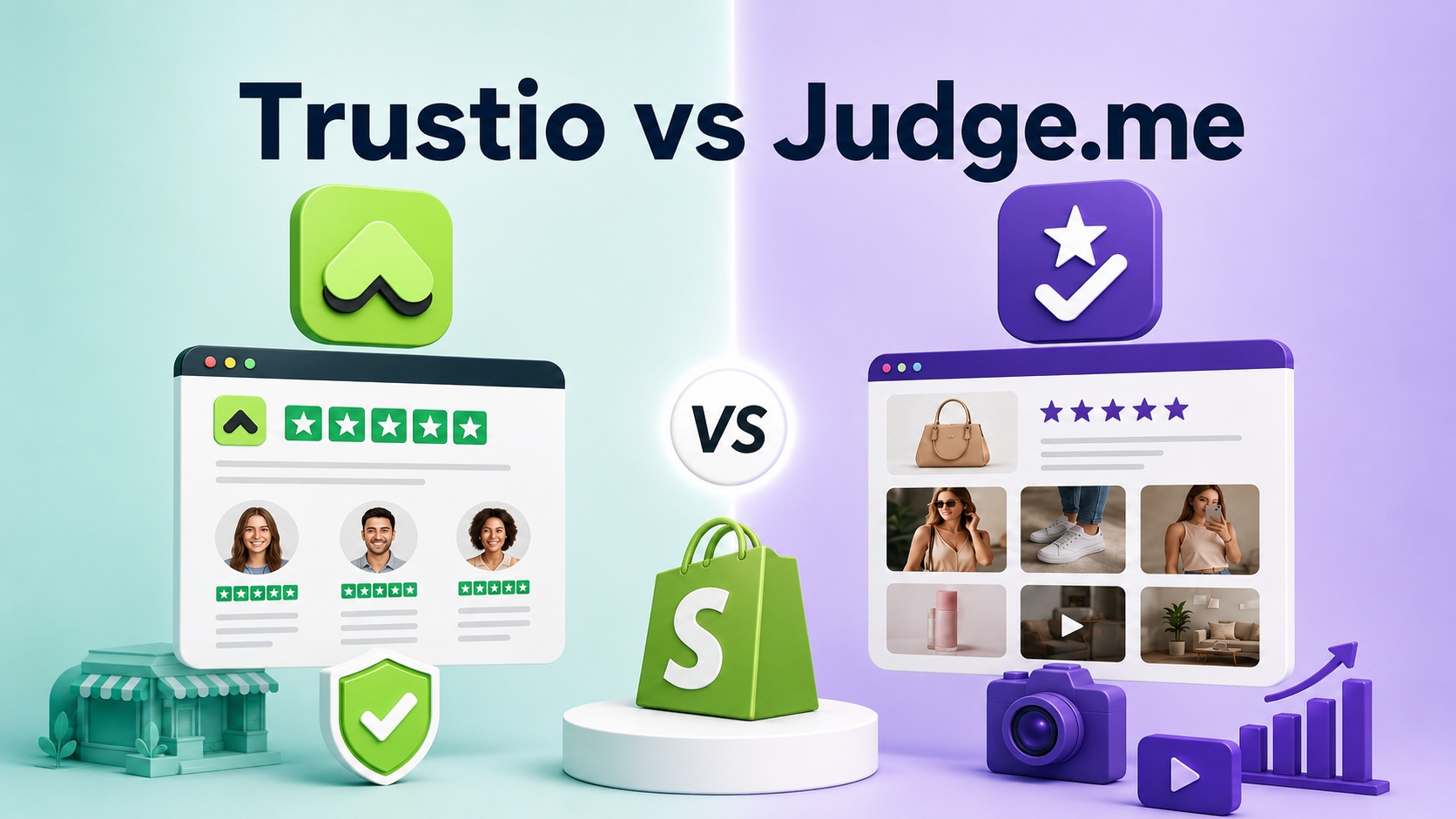
Trustio vs Judge.me at a Glance
| Comparison area | Trustio | Judge.me |
|---|---|---|
| Primary purpose | Import and display Trustpilot reviews | Collect and manage product and store reviews |
| Main review source | Existing Trustpilot business profile | Shopify customers and supported imports |
| Live Trustpilot updates | Daily review import and automatic rating refresh | No native live Trustpilot sync documented |
| Product reviews | Not documented as the main workflow | Yes |
| Store reviews | Trustpilot business feedback | Yes |
| Photo and video collection | Dedicated workflow not documented | Yes |
| Verified-review workflow | Not explained in public product documentation | Yes, based on the collection method |
| Main widgets | Carousel and Flex grid | Review widget, star badge, carousels, and more |
| Review requests | Rate Us widget on the Thank You page | Email, SMS, QR codes, links, forms, and automations |
| SEO and rich snippets | Not documented as a core feature | Yes |
| Google Shopping | Not documented | Available on the Awesome plan |
| Integrations | Focused Shopify and Trustpilot workflow | 130+ on the Awesome plan |
| Languages | English | English, Spanish, French, Italian, Portuguese (Brazil), and German |
| Free plan | No free plan listed | Forever Free |
| Paid price | $8.99 per month | $15 per month for Awesome |
| Annual option | $89.99 per year | No separate annual price shown in the Shopify listing checked |
| Free trial | 3 days | 15 days for Awesome |
| Shopify App Store rating | 5.0 from 12 reviews | 5.0 from 41,323 reviews |
| Shopify launch date | August 1, 2025 | June 25, 2015 |
| Shopify recognition | No Built for Shopify badge shown in the listing checked | Built for Shopify and 2025 Shopify Build Award winner |
| Best fit | Stores with existing Trustpilot feedback | Stores building a product and store review program |
What Is the Main Difference Between Trustio and Judge.me?
The main difference is where the reviews come from and what shoppers need to judge.
Trustio brings an existing Trustpilot reputation into Shopify
Trustio starts with reviews that already exist on a Trustpilot business profile. It imports those reviews and displays them through Shopify widgets.
This type of feedback often helps shoppers answer questions about the business:
- Is this store reliable?
- Does the company deliver orders as promised?
- How does customer support respond?
- What is the overall buying experience?
- Can I trust this business with my payment and order?
Trustio is most useful when the business already has meaningful Trustpilot feedback. A new company with few or no Trustpilot reviews may receive less immediate value because there is little feedback to import.
If you want to understand the wider role of external business feedback, read our guide to Trustpilot reviews.
Judge.me builds product and store reviews from Shopify customers
Judge.me is designed to collect feedback from customers after they buy from a Shopify store. It supports both product reviews and store reviews.
Product reviews help shoppers answer different questions:
- Does this product work as described?
- Does the size or color look right?
- How does the product look in real life?
- Are buyers happy with this specific item?
- What problems did other customers find?
Judge.me also supports photo and video reviews. This makes it useful for products where appearance, fit, texture, packaging, or real-world use affects the buying decision.
The two apps can therefore support different layers of trust. A shopper may like a product but still question the company selling it. Another shopper may trust the company but need more proof about one item.
Trustio vs Judge.me Feature Comparison
Review source and collection
Trustio and Judge.me begin with different review sources.
Trustio connects with an existing Trustpilot business profile. Its main job is to bring those reviews into Shopify and keep the displayed feedback updated. Trustio also includes a Rate Us widget on the Shopify Thank You page.
Judge.me provides a wider review collection system. Depending on the settings and plan, merchants can request reviews through:
- Automated emails
- SMS messages
- QR codes
- Review forms
- Shareable links
- Shopify customer accounts
- Klaviyo and other integrations
- Push notifications and supported automations
Judge.me is the clearer choice when the goal is to build a new review program around Shopify orders. Trustio is the clearer choice when the strongest review asset already exists on Trustpilot.
Trustpilot synchronization vs one-time imports
A live synchronization process is different from a one-time review import.
Trustio’s Shopify listing says it imports new Trustpilot reviews daily. Its pricing details also list automatic updates and 24/7 rating refresh. This helps keep the storefront connected to the current Trustpilot profile without repeating a manual file import.
Judge.me supports review migration and spreadsheet imports. A merchant can upload a CSV, XLS, or XLSX file and classify the data as product reviews or store reviews. Judge.me also supports imports or syncs from selected apps and marketplaces.
However, Judge.me’s official listing and documentation reviewed for this article do not show a native live Trustpilot synchronization workflow. A merchant may be able to move exported review data through a compatible spreadsheet, but that is not the same as automatically updating a live Trustpilot profile.
For a broader migration process, read our guide on how to import reviews to Shopify.
Product, store, photo, and video reviews
Judge.me has the broader documented review types.
Its free plan lists unlimited product and store reviews, including photo and video reviews. Customers can add media when they submit feedback, and merchants can display that content through review widgets and carousels.
Trustio’s current public product description focuses on importing and displaying Trustpilot feedback. The Shopify App Store places Trustio in the product-reviews category and lists photo reviews among its display taxonomy, but the main product copy does not document a dedicated photo or video collection workflow.
Do not treat Trustio as a full visual UGC platform unless that feature is confirmed in the current app interface. If visual product reviews are your main priority, Judge.me is the clearer choice in this comparison.
You can also read our Trustio vs Loox comparison if you want to compare Trustpilot display with another visual product-review app.
Verified reviews and imported-review status
Judge.me provides detailed public documentation about review verification.
A review can receive a verified badge when it comes through an eligible collection method and the customer or order details can be confirmed. These methods can include Judge.me review request emails, confirmed web submissions, QR codes, review links, supported Klaviyo requests, and Shopify customer accounts.
Judge.me also states that imported reviews are not automatically verified. This includes reviews uploaded through a spreadsheet or brought in from outside sources. The rule helps shoppers and merchants distinguish between feedback tied to a confirmed collection process and data moved from another platform.
Trustio’s public Shopify listing does not explain a separate Trustio verification badge or verification process. Its core value is that the displayed reviews come from the connected Trustpilot source. The article should not describe those reviews as independently verified by Trustio unless the app adds and documents such a process.
Widgets and storefront placement
Trustio offers two main display layouts:
- Carousel slider
- Flex grid
The widgets are designed for mobile and desktop. The Shopify listing also says they can be used on store pages, including checkout placements supported by the merchant’s Shopify setup.
Judge.me offers a larger widget selection. Its free plan includes a review widget, star rating badge, and several carousel formats. The Awesome plan lists 16 widgets, including options such as snippets, questions and answers, and a reviews page.
Judge.me provides more display choices. Trustio is easier to evaluate when the merchant wants a focused Trustpilot review widget instead of a full library of review blocks.
More widgets do not automatically create a better store. Use only the review blocks that help shoppers make a decision. Too many ratings, sliders, badges, or popups can make a page harder to scan.
Review moderation, hiding, and editing
Both apps provide merchant control, but review controls should be used carefully.
Trustio’s Shopify listing says merchants can hide reviews and edit review titles or content. These tools should not be used to change the meaning of customer feedback or make selected reviews look like untouched quotes when they are not.
Judge.me lets merchants publish or hide reviews, reply to them, pin them, and feature selected feedback. Its current editing documentation allows limited corrections. Judge.me says the reviewer is notified and can revert the edit. Merchants cannot change the star rating.
A transparent review strategy is more useful than making every visible comment look perfect. If a widget shows selected feedback, consider giving shoppers a way to view the wider review history and source.
SEO, Google Shopping, and social sharing
Judge.me has the stronger documented SEO and channel features.
Its Shopify listing includes:
- Rich snippets
- JSON-LD and metadata tools
- Google Shopping support on the Awesome plan
- Review sharing and syndication for supported Google, Meta, TikTok, Shop App, and social channels
Trustio’s public listing does not document rich snippets, JSON-LD, or a Google Shopping feed as core features. Its main purpose is to place Trustpilot feedback inside the Shopify buying journey.
Do not choose Trustio based on an assumed SEO benefit unless the current app interface or product documentation confirms the exact output.
Integrations, languages, and support
Judge.me lists more than 130 integrations on its Awesome plan. Examples shown on the Shopify listing include Klaviyo, Gorgias, LoyaltyLion, PageFly, Shopify Flow, AfterShip, and PushOwl.
Judge.me also lists six languages:
- English
- Spanish
- French
- Italian
- Portuguese for Brazil
- German
Trustio currently lists English and focuses on its Shopify and Trustpilot workflow. Its website says support is available through live chat and email. Judge.me promotes 24/7 support and maintains a large Help Center.
The public information does not prove that one support team responds faster or solves every issue better. Support quality can vary by question, store setup, and time. Test the support channel during the trial if service is important to your decision.
Trustio and Judge.me Pros and Limitations
Trustio pros
- Imports reviews from a Trustpilot business profile
- Automatically imports new Trustpilot reviews
- Provides automatic rating refresh
- Lists unlimited reviews and ratings
- Offers simple Carousel and Flex grid layouts
- Supports mobile and desktop display
- Includes checkout placement and a Thank You page Rate Us widget
- Offers simple monthly or annual billing
- Has a lower paid starting price than Judge.me Awesome
Trustio limitations
- Does not list a free plan
- Provides less immediate value without an established Trustpilot profile
- Does not document the same native product/store review collection system as Judge.me
- Does not document a dedicated photo/video collection workflow
- Does not list rich snippets or Google Shopping as core features
- Lists fewer integrations and languages
- Has a shorter Shopify history and a much smaller public review sample
- Does not publicly explain a separate Trustio verification workflow
Judge.me pros
- Offers a feature-rich free plan
- Collects unlimited product and store reviews
- Supports photo and video reviews
- Provides multiple review request channels
- Documents verified-review rules
- Supports rich snippets and other SEO tools
- Offers Google Shopping and broader channel features on Awesome
- Lists more than 130 integrations on Awesome
- Supports six languages
- Has a long Shopify history
- Has Built for Shopify status and a 2025 Shopify Build Award
Judge.me limitations
- Does not document a native live Trustpilot synchronization workflow
- Advanced tools require the $15 Awesome plan
- Its larger feature set may be more than a merchant needs for a simple Trustpilot display
- Reviews imported through files or outside sources are not automatically verified
- A merchant using only basic review collection may not need all Awesome features
Can You Use Trustio and Judge.me Together?
Trustio and Judge.me may be used for different parts of a Shopify store, but the official sources reviewed do not document a native integration between them.
A possible setup is:
- Use Trustio on the homepage, About page, or other business-trust sections.
- Use Judge.me ratings and reviews on product pages.
- Use Judge.me visual UGC where buyers need proof about fit, color, or real-world use.
- Coordinate post-purchase requests so customers are not asked for several reviews at the same time.
Before using both on a live store:
1. Install them on a duplicate Shopify theme.
2. Check desktop and mobile widget placement.
3. Make sure star ratings are clearly labeled by source.
4. Avoid showing two large review blocks that repeat the same message.
5. Check whether the combined scripts affect page performance.
6. Test the checkout and post-purchase experience.
7. Review the messages each app sends to customers.
Social proof should make a decision easier. If two review systems create clutter or conflicting ratings, use fewer widgets or keep each review source on a separate part of the store.
A Note About Trustpilot Display Rights
Trustpilot’s official guidance says businesses may display Trustpilot reviews, stars, logos, and other Trustpilot designs only when the use follows their subscription, Terms of Use, Brand Guide, and permission.
Trustio’s public Shopify listing explains how the app imports and displays Trustpilot reviews, but it does not clearly state which Trustpilot plan or display permission each merchant needs.
Before publishing any Trustpilot widget:
- Check your current Trustpilot subscription.
- Review Trustpilot’s current brand and business guidelines.
- Confirm that your widget and use of brand assets are allowed.
- Keep the displayed rating and review information current.
- Avoid changing customer feedback in a misleading way.
This comparison does not claim that every free or paid Trustpilot plan includes the same display rights.
Final Verdict
Trustio and Judge.me are not direct replacements for every Shopify store.
Judge.me is the stronger all-around review platform when a merchant wants to collect product and store reviews, request photos and videos, use verified-review signals, add rich snippets, connect other ecommerce tools, or begin with a free plan. It also has a much longer public Shopify history.
Trustio is the more focused option when a business already has useful Trustpilot feedback and wants to bring that external reputation into the Shopify buying journey. It offers automatic Trustpilot updates, simple widgets, checkout placement, and a lower paid starting price.
Choose Trustio when your best review asset is your Trustpilot profile.
Choose Judge.me when your main goal is to build a Shopify product and store review program.
Consider both when shoppers need proof about the company and the products, but test the setup before launch.
Already have Trustpilot feedback? Explore Trust.io – Trustpilot Reviews to see its current features, price, and trial details.
Frequently Asked Questions
Is Trustio a direct alternative to Judge.me?
Trustio is an alternative when the main goal is to import and display Trustpilot reviews. It is not a direct replacement for Judge.me’s full product/store review collection, photo and video workflow, verified-review system, rich snippets, integrations, coupons, referrals, or broader widget selection.
Which app is better for Trustpilot reviews?
Trustio is the clearer choice for importing, automatically updating, and displaying reviews from an existing Trustpilot business profile. Judge.me’s current official documentation does not show a native live Trustpilot synchronization workflow.
Which app is better for product reviews?
Judge.me is the stronger choice for product reviews. It collects ratings and written feedback from Shopify customers and supports product photos, videos, automated review requests, star badges, widgets, and review verification rules.
Does Judge.me automatically sync Trustpilot reviews?
The official Judge.me sources reviewed for this article do not document an automatic live Trustpilot sync. Judge.me supports spreadsheet imports and other migration tools, but a one-time file import is different from keeping a Trustpilot profile updated automatically.
Does Trustio support photo and video reviews?
Trustio’s main public product description focuses on importing and displaying Trustpilot feedback. It does not document a dedicated photo and video review collection workflow like Judge.me. Confirm the current app interface before choosing Trustio for visual UGC.
Which app has a free plan?
Judge.me has a Forever Free plan. Trustio does not list a free plan, but its monthly and yearly options include a 3-day free trial. Judge.me Awesome includes a 15-day free trial.
Can Trustio and Judge.me be used together?
They may support different review layers, but no native integration was documented in the sources reviewed. Test both apps on a duplicate theme, separate their widget roles, coordinate review requests, and check page performance before using both on a live store.
Do I need a paid Trustpilot plan to use Trustio?
Trustio’s Shopify listing does not clearly state which Trustpilot plan is required. Trustpilot says review and brand-asset display must follow its current permission, subscription, Terms of Use, and Brand Guide. Check your Trustpilot account rights before publishing the widget.
Which app is better for Google rich snippets?
Judge.me is the clearer choice based on current documentation. Its Shopify listing includes rich snippets and other SEO tools. Trustio’s public listing does not document rich snippets or JSON-LD as a core feature.
Are imported Judge.me reviews verified?
No. Judge.me states that reviews imported from outside sources, including spreadsheet uploads, are not automatically verified. Verified status depends on eligible collection methods and customer or order confirmation.